It is no secret that the equation editor in OpenOffice sucks (well, there are a few folks out there that think it is great, but not many). The equation editor in MS Office is pretty awful, too, for that matter. What I always wanted was an equation editor of OpenOffice that used Latex as the backend. Then, I found it, and boy is it awesome: Ekee – developed by Ronan Le Hy in France (don’t you love open-source?)
Basically it let’s you type in latex equations into the entry box which it compiles on fly. When your equation is done, you can then drag and drop it into right into OpenOffice Impress or onto your desktop to save the equation as png. You can also export the equation to pdf or svg format through the menu at the top with one click.
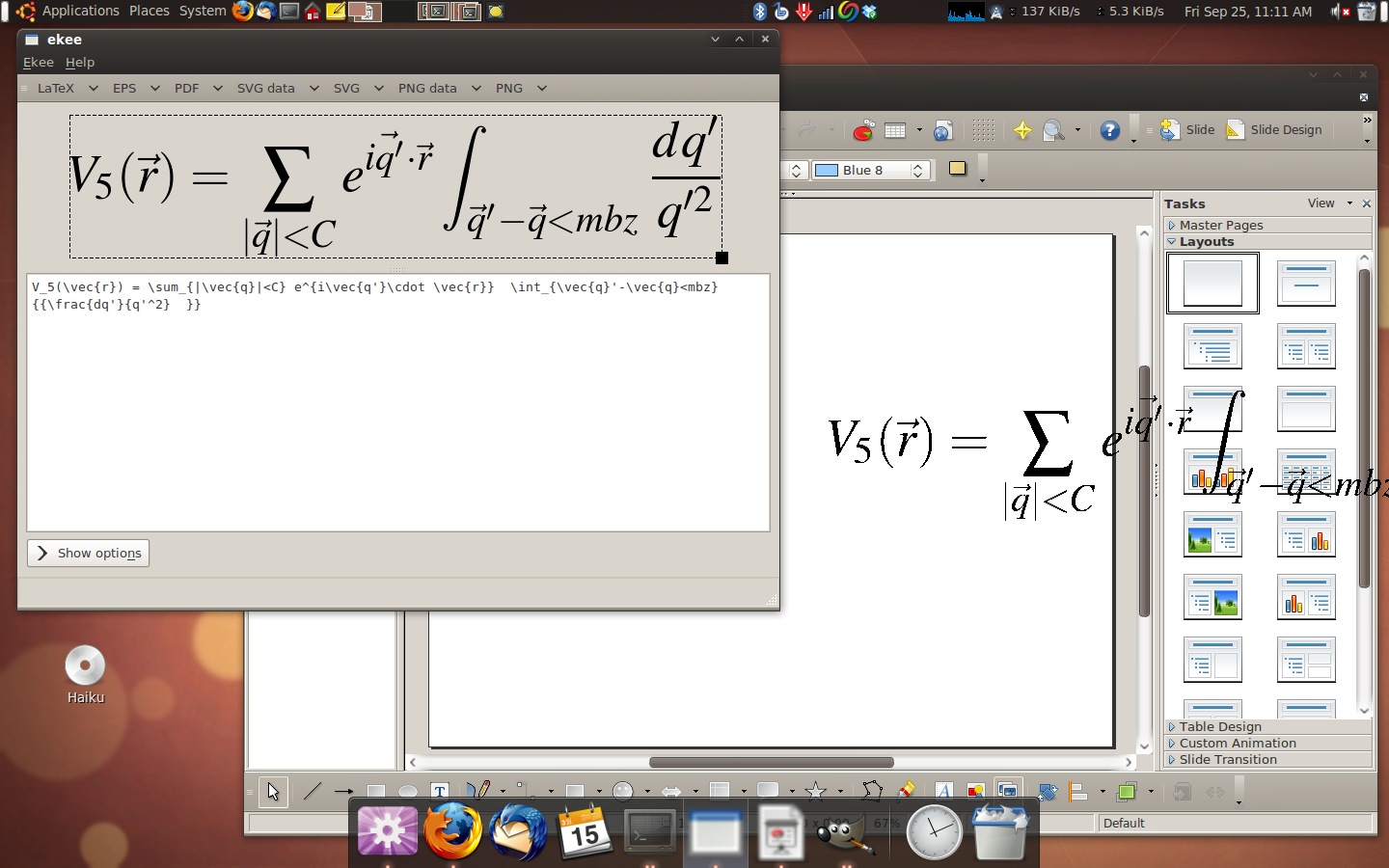
What if you find a mistake in one of your old equations? Since it is in a .png format, aren’t you screwed? Nope, the killer feature of ekee, is that you can drag the .png back into the ekee window and then continue editing from where you left off.
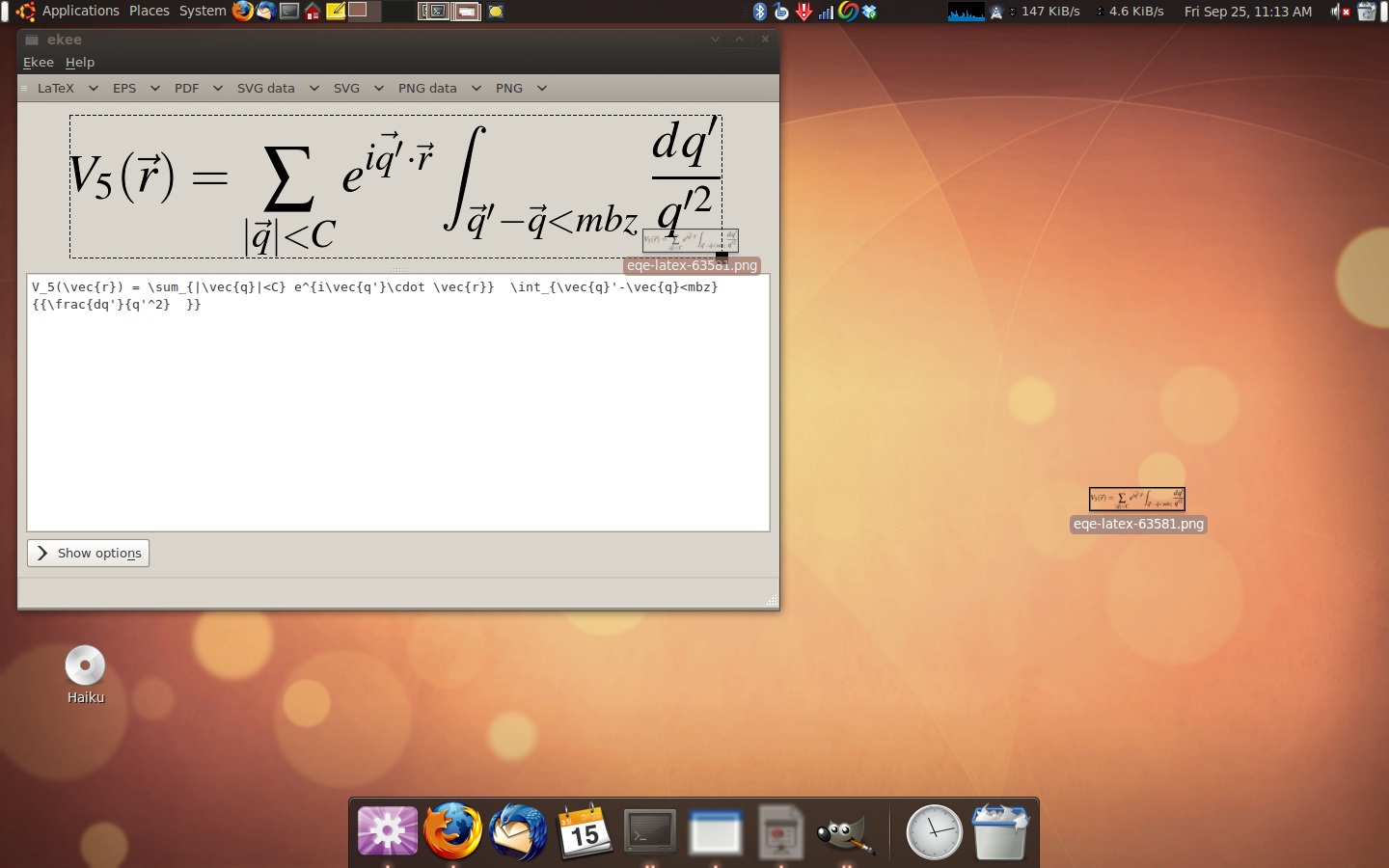
If you ever need to put equations in presentations/posters/documents, check out ekee.
So ekee does a sort of optical scan on a png file, in order to restore the equation into working mode? ‘Scuse my ignorant question, I’ve never used LaTex applications.
I think it saves the latex in the metadata/header of the .png file. So, when you drag and drop the png back in ekee, it is able to read the tex back.
Now why didn’t I think of that? Since you can already embed basic info into a graphic image, makes sense for a program to take advantage of that feature. Glad to realize I’m only 20 years behind the times…catching up! 8)
I happen to be one of the few that enjoys openoffice’s equation editor, but I’ll give this a shot to see what it’s like.
Only a few like OO equation editor? At my workplace, we’re all former LaTeX users and we all love the OO equation editor! Please speak for yourself.
It’s remarkable how durable TeX has been. I was supporting it at UCSB in 1988 on Vaxen and Sun 3s. (LaTeX was looked down upon by the real TeX slingers back then. 🙂
My own opinion of TeX is that it showed how much damage a research computer scientist could do when he tried to write a real application. Though the years have proved me wrong in that opinion, I still abhor the complexity you have to deal with using TeX. But that complexity probably fits TeX’s ability to create beautiful and arbitrarily twisted mathematical output. quite well. There’s nothing like TeX to get exactly what you want in print and/or on the screen.
Very nice application, although it immediately made me think “Why not make the entire document in LaTeX?” :-P.
Nifty. This would have come in handy when I wanted to clean up my Calculus notes.
linduxed said:
“Why not make the entire document in LaTeX?”
Mixed feelings here. LaTeX is [awesome^2] to be fair, but the entry-point for mere mortals is almost unattainable. I used to be a fair LaTeX jocky, but it is such an intricate system that “if you don’t use it you lose it” is pretty much the thing. Being an infrequent LaTeX user, I appreciate any/all leg-ups I can get on the occasion when I have to tinker in LaTeX, so in principle this tool rates very high.
What’s funny about LaTeX is that it is a macro package on top of TeX that makes the latter a lot easier to use. TeX by itself is hellishly complicated. User friendliness, as they used to call it, was not a goal Donald Knuth was after, so it would seem.
If you think TeX is complicated, have a look at Knuth’s other foray into application programming – Tangle and Weave. This was a system for “literate programming” that integrated documentation with code writing. A lot of the ideas persisted, but Knuth’s complex implementation never really caught on.
I think a generalization is possible that says the qualities that a good researcher needs in any discipline are not those the practitioner in the same field would require. People who possess both skill sets are rare. So are people who excel at either job. The rarest bird is the one that can excel at both.
I will stick to plain LaTeX.
LyX for the win. http://www.lyx.org
I finished thesis only several days ago. I have to say myself still prefer LaTeX to any other equation editors. And I think LaTeX is not only better for beautiful equations, but also for automatic document layout. However, for pure word documents, OOo is sufficient.
linduxed said:
“Why not make the entire document in LaTeX?”
Because you are making a poster? I do all my documents in LaTeX (also thank-you-for-the-Christmas-present letters for my grandma, really everything) and I use beamer for my presentations, but when it comes to posters, I think a WYSIWYG editor is to be preferred. On top of that, my faculty demands that I use a certain layout for scientific posters, a layout which is only provided in an OO-format. But maybe I’m being too lazy here.
I do not have much use for an equation editor, unless for typesetting class handouts with equations in them. Then this is off topic a little: I learned LaTeX to typeset a publication that was more linguistic in nature, a lexicon of animal names in Chuukese, a Micronesian language. LaTeX made a fine backend to typeset output from a lexical free form database into a dictionary-like format.
I have since used it for almost everything I commit to hardcopy, or, anymore, a PDF. I have used Emacs and Auctex for almost all LaTeXing. Another straaightforward paper required submission of Word documents: it was more consternating than writing LaTeX on Emacs, by far.
Just to say, on more or fewer words, that this argument goes beyond the mathematical realm, and that LaTeX/TeX work for more straightforward typesetting jobs than TeX was designed for. I think. It does much more also: almost automatic reference correlation, from draft to draft; and freedom from the constraints of WYSIWYG.
My 2{c} (I think) worth.